Welcome Offer: Get 75 credits to start
Get Started

Already have an account? Sign in

Developer

MCP Server

Connect any AI agent to your PhotoStudioGen account through the Model Context Protocol. Your agent gets 14 tools: images, video, Recast, Copy Pose, try-ons, headshots, product shots, upscaling, cut-outs, stitching, and deleting. Everything uses your normal credit balance.

View as Markdown

Copies setup steps and this whole reference, ready to paste into Cursor, Claude, or ChatGPT. AI tools can also read /llms.txt.

Video tutorial

Three minutes, start to finish: create a key, connect Cursor or Claude, make an image, make a video, collect it, and stitch two clips together.

Quick start

  1. Create an API key in Account → API keys. It starts with psg_ and is shown once, so copy it.
  2. Add the server to your MCP client with that key (below).
  3. Ask your agent something like "make a 2:3 portrait of a lighthouse at dusk". It finds the tools on its own.

Connect your client

One endpoint, Streamable HTTP, stateless. No session to open or keep alive.

Endpoint

https://photostudiogen.com/api/mcp

Cursor (.cursor/mcp.json), Claude Desktop, Windsurf

{
  "mcpServers": {
    "photostudiogen": {
      "url": "https://photostudiogen.com/api/mcp",
      "headers": {
        "Authorization": "Bearer psg_your_api_key_here"
      }
    }
  }
}

Claude Code

claude mcp add --transport http photostudiogen https://photostudiogen.com/api/mcp \
  --header "Authorization: Bearer psg_your_api_key_here"

curl — test your key

curl -X POST https://photostudiogen.com/api/mcp \
  -H "Authorization: Bearer psg_your_api_key_here" \
  -H "Content-Type: application/json" \
  -H "Accept: application/json, text/event-stream" \
  -d '{"jsonrpc":"2.0","id":1,"method":"tools/call","params":{"name":"check_credits","arguments":{}}}'

Swap tools/call for tools/list (with no params) to get every tool's full input schema.

Authentication

Send your key on every request as Authorization: Bearer psg_…. A missing or revoked key gets HTTP 401 before any tool runs. Calls are billed to the account that owns the key.

Keep your key secret. Anyone with it can spend your credits. If one leaks, revoke it in Account → API keys and create a new one.

How a call works

Each tool takes a JSON object of arguments and replies with MCP content blocks of type text holding JSON. Image tools reply with { "images": [{ "id", "url" }] }; video, stitch, and delete tools reply with their own small objects. Keep the ids: they're what get_result, stitch_videos, and delete_media take. Your MCP client handles this for you; it's shown here for anyone calling the endpoint directly.

Request

{
  "jsonrpc": "2.0",
  "id": 1,
  "method": "tools/call",
  "params": {
    "name": "generate_image",
    "arguments": { "prompt": "A lighthouse at dusk", "aspect_ratio": "2:3" }
  }
}

Success

{
  "jsonrpc": "2.0",
  "id": 1,
  "result": {
    "content": [{
      "type": "text",
      "text": "{"images":[{"id":"cm2x9k1ab0001","url":"https://utfs.io/f/…png"}]}"
    }]
  }
}

Tool error

{
  "jsonrpc": "2.0",
  "id": 1,
  "result": {
    "isError": true,
    "content": [{ "type": "text", "text": "Error: You need 14 credits but only have 6. Please add more credits to continue." }]
  }
}

Image calls wait for the render, usually 10–40 seconds (Max Effort and multi-image calls are at the slow end). Give your HTTP client a timeout of at least 2 minutes.

Sending photos

  • Every photo is a public https:// URL that a server can download without logging in. Signed links work as long as they haven't expired.
  • Send photos; JPG, PNG, and WebP work best. A link to a video is refused before you're charged.
  • A link that returns 404 or 410 is refused before you're charged.
  • URLs returned by any tool can go straight back in as inputs, so you can chain tools.
  • Clear, well-lit photos with the face visible give the best likeness.
ToolPhotos
generate_image0–5
generate_video0–10. One photo is the opening frame; 2+ build a new shot of the person.
recast1 person + 1 reference + 0–2 partners
copy_pose1
outfit_try_on1 person + 1 outfit
change_scene1 person + 1 scene
headshots1
product_photo1
upscale1
remove_background1

Video jobs

Video renders in the background, so it takes three steps. The credits are taken when the job starts.

  1. generate_video returns { "id", "status": "processing" } straight away.
  2. Call get_result with that id every 5–10 seconds until the status is completed (with a url) or failed. Most clips take 1–3 minutes.
  3. Optionally pass several finished ids to stitch_videos to join them into one video.

1. Start

{ "name": "generate_video", "arguments": {
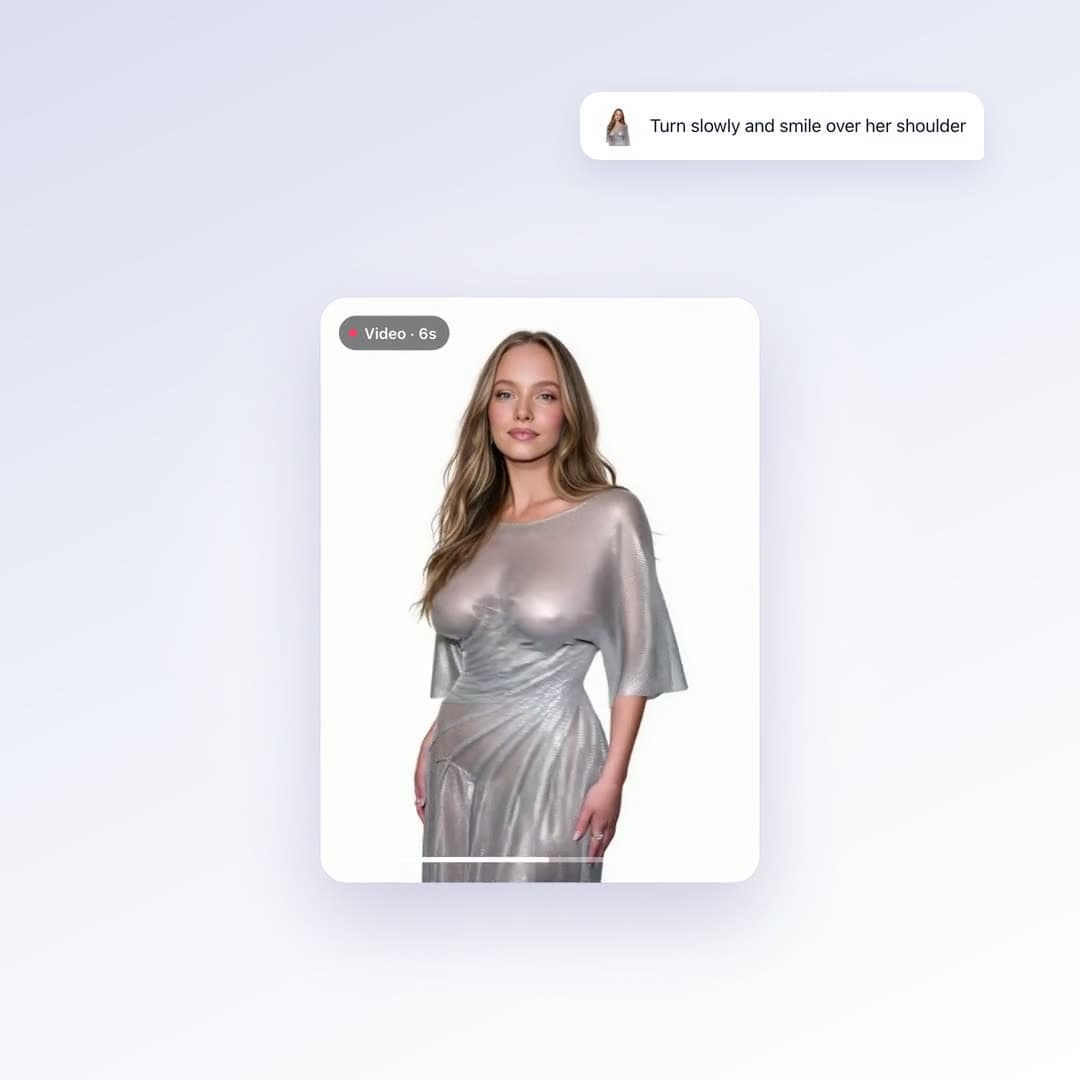
    "prompt": "She turns to the camera and smiles",
    "image_urls": ["https://example.com/me.jpg"],
    "duration_seconds": 5,
    "resolution": "720p",
    "aspect_ratio": "9:16",
    "sound": true
} }
→ { "id": "cm2x9k1ab0001", "status": "processing" }

2. Poll

{ "name": "get_result", "arguments": { "id": "cm2x9k1ab0001" } }
→ { "id": "cm2x9k1ab0001", "status": "processing" }
→ { "id": "cm2x9k1ab0001", "status": "completed", "url": "https://utfs.io/f/…mp4" }

3. Stitch (optional)

{ "name": "stitch_videos", "arguments": {
    "clips": [{ "id": "cm2x9k1ab0001" }, { "id": "cm2x9k1ab0002", "endAt": 3.5 }],
    "ratio": "9:16"
} }
→ { "id": "cm2xa04zz0003", "url": "https://utfs.io/f/…mp4" }

Sound

sound is off by default, which gives a silent clip. Set "sound": true to add sound generated to match the scene. It costs the same either way. When stitching, each clip's own sound is kept.

Length and quality

Any whole number of seconds from 3 to 30. Resolutions: 480p (7 credits/sec), 720p (14 credits/sec), 1080p (28 credits/sec). A 5-second 480p clip is 35 credits. SFW-only accounts are capped at 12 seconds and 720p, and are charged for the capped clip.

Tool reference

generate_image

Make an image from a prompt, or edit up to 5 photos.

5–14 credits

With no photos it creates a new image from your prompt. With photos it edits them: change the background, fix lighting, merge people from several shots, restyle.

Price: Text only: a flat 5 credits. With photos: the quality tier (standard 5 · ultra 10 · max_effort 14).

ParameterTypeRequiredDefaultDetails
promptstringYes—What to make, or what to change in the photos.
image_urlsstring (https URL)[]No—0–5 photos to edit. Leave out for a brand-new image.
aspect_ratio"1:1" | "2:3" | "3:2" | "3:4" | "4:3" | "9:16" | "16:9"No"2:3", or the photo's shape when editingOutput shape.
quality"standard" | "ultra" | "max_effort"No"max_effort"Only used when editing photos. standard 5 · ultra 10 · max_effort 14 credits.

Returns: { "images": [{ "id": "…", "url": "…" }] }. Keep the id to delete it later.

Example call

{
  "jsonrpc": "2.0",
  "id": 1,
  "method": "tools/call",
  "params": {
    "name": "generate_image",
    "arguments": {
      "prompt": "Golden-hour portrait on a rooftop, soft film grain",
      "aspect_ratio": "2:3"
    }
  }
}

generate_video

Make a 3–30s clip from a prompt or from up to 10 photos.

21–840 credits

With one photo, that photo becomes the opening frame. With 2–10 photos it builds a new shot of the same person from all of them. With none, it's text-to-video. Video renders in the background: this call returns a job id straight away, and you collect the clip with get_result.

Price: Credits per second × length. 480p 7/sec · 720p 14/sec · 1080p 28/sec. A 5s 480p clip is 35 credits. Sound doesn't change the price.

ParameterTypeRequiredDefaultDetails
promptstringYes—The motion, scene, or story.
image_urlsstring (https URL)[]No—0–10 photos. Must be photos, not videos.
duration_secondsinteger 3–30No5Clip length in whole seconds.
resolution"480p" | "720p" | "1080p"No"480p"480p 7 credits/sec · 720p 14 credits/sec · 1080p 28 credits/sec.
aspect_ratio"16:9" | "9:16" | "1:1" | "4:3" | "3:4"No"9:16", or the photo's shapeOutput shape.
soundbooleanNofalsetrue adds sound generated to match the scene. false gives a silent clip.

Returns: { "id": "…", "status": "processing" }. Pass the id to get_result.

SFW-only accounts are capped at 12 seconds and 720p, and the price follows the cap.

Example call

{
  "jsonrpc": "2.0",
  "id": 1,
  "method": "tools/call",
  "params": {
    "name": "generate_video",
    "arguments": {
      "prompt": "She turns to the camera and smiles, hair moving in the wind",
      "image_urls": [
        "https://example.com/me.jpg"
      ],
      "duration_seconds": 5,
      "resolution": "720p",
      "sound": true
    }
  }
}

get_result

Check on a video job.

Free

Call it every 5–10 seconds with the id from generate_video. Most clips finish in 1–3 minutes; long 1080p clips take longer.

ParameterTypeRequiredDefaultDetails
idstringYes—The job id from generate_video.

Returns: { "status": "processing" }, then { "status": "completed", "url": "…mp4" }, or { "status": "failed", "error": "…", "refunded": true }.

The same id is the clip's library id, so you can pass it straight to stitch_videos.

Example call

{
  "jsonrpc": "2.0",
  "id": 1,
  "method": "tools/call",
  "params": {
    "name": "get_result",
    "arguments": {
      "id": "cm2x9k1ab0001"
    }
  }
}

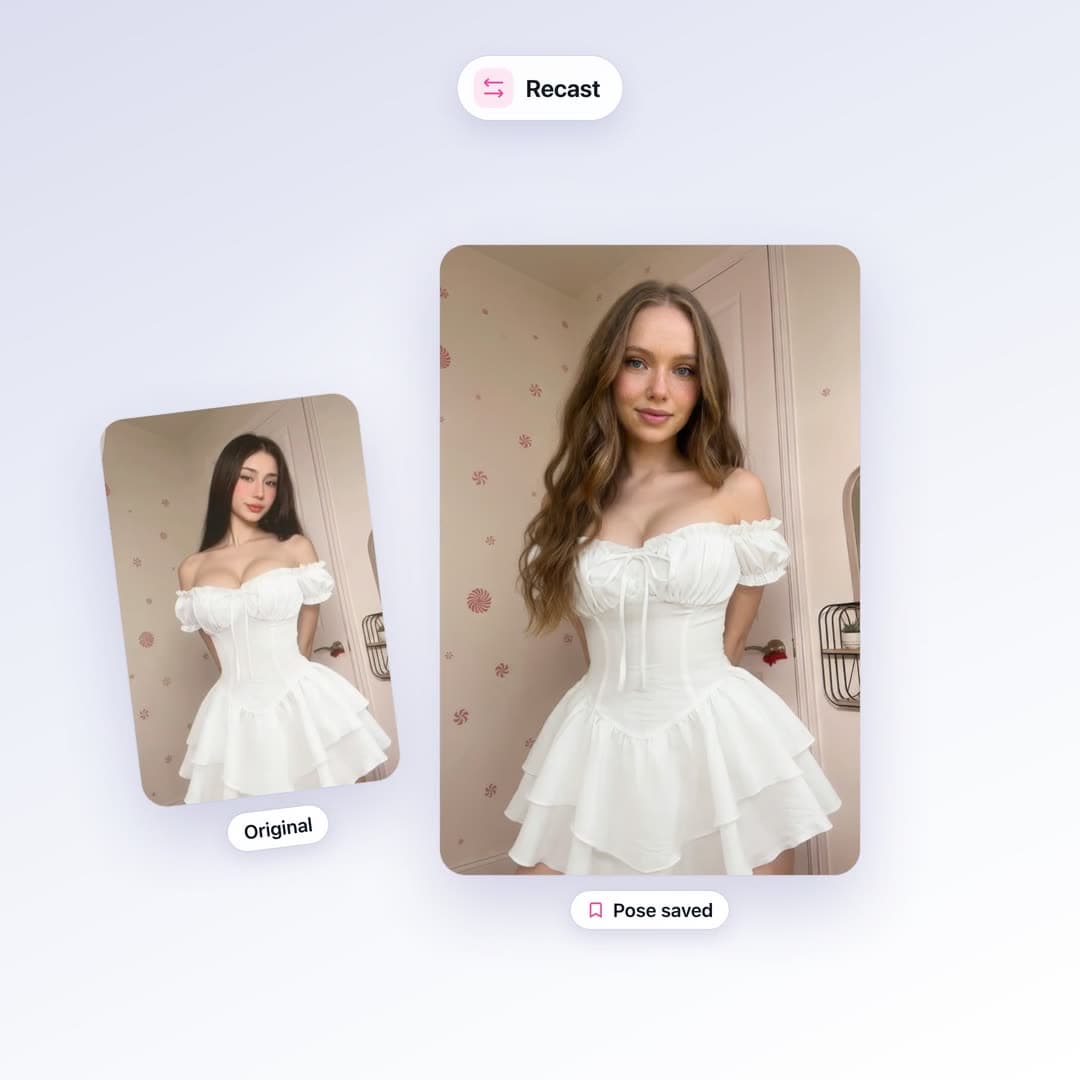
recast

Put a person into any reference shot.

14 credits

Keeps the pose, outfit, and framing of the reference and puts your person in it. Add up to two partner photos for group shots.

ParameterTypeRequiredDefaultDetails
person_image_urlstring (https URL)Yes—A clear photo of the person, face and body visible.
pose_image_urlstring (https URL)Yes—The reference shot. A photo, drawing, or stick figure all work.
partner_image_urlsstring (https URL)[]No—0–2 more people to put in the shot.
promptstringNo—Extra direction, e.g. "wearing a red dress".

Returns: { "images": [{ "id": "…", "url": "…" }] }. Keep the id to delete it later.

Not available on SFW-only accounts.

Example call

{
  "jsonrpc": "2.0",
  "id": 1,
  "method": "tools/call",
  "params": {
    "name": "recast",
    "arguments": {
      "person_image_url": "https://example.com/me.jpg",
      "pose_image_url": "https://example.com/pose.jpg"
    }
  }
}

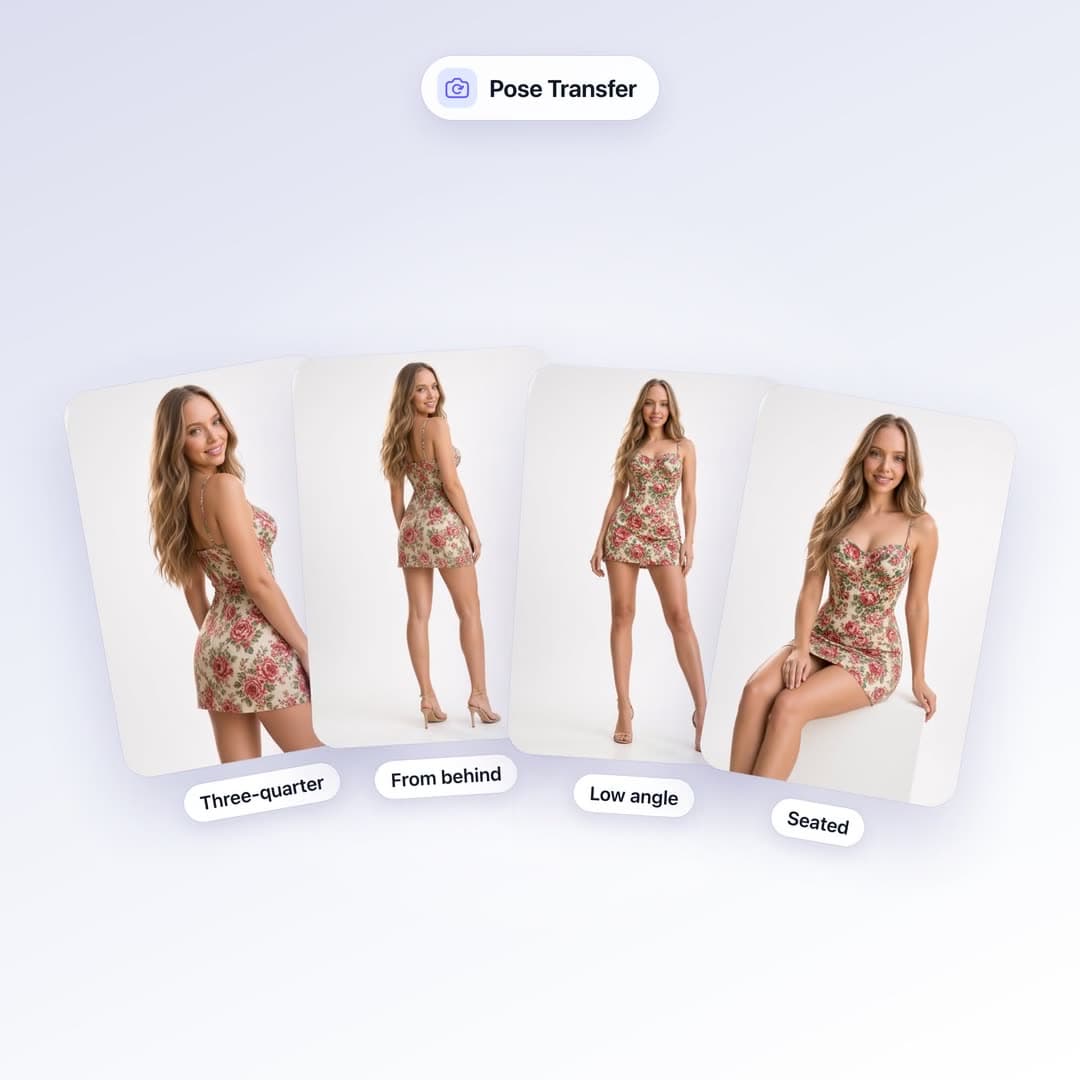
copy_pose

New poses of the same person, same outfit and room.

5–56 credits

Give it one photo and pick up to four poses. Every shot keeps the face, outfit, location, and lighting.

Price: Per pose, at the quality tier: standard 5 · ultra 10 · max_effort 14.

ParameterTypeRequiredDefaultDetails
image_urlstring (https URL)Yes—The photo to build from.
poses("three-quarter" | "from-behind" | "low-angle" | "close-up" | "seated")[]Yes—1–4 poses. You get one image per pose.
copy_expressionbooleanNotrueKeep the facial expression from the photo.
quality"standard" | "ultra" | "max_effort"No"max_effort"Per pose: standard 5 · ultra 10 · max_effort 14 credits.
aspect_ratio"1:1" | "2:3" | "3:2" | "3:4" | "4:3" | "9:16" | "16:9"Nothe photo's shapeOutput shape.

Returns: { "images": [{ "id", "url" }, …] }, one per pose.

Example call

{
  "jsonrpc": "2.0",
  "id": 1,
  "method": "tools/call",
  "params": {
    "name": "copy_pose",
    "arguments": {
      "image_url": "https://example.com/me.jpg",
      "poses": [
        "three-quarter",
        "close-up"
      ],
      "quality": "ultra"
    }
  }
}

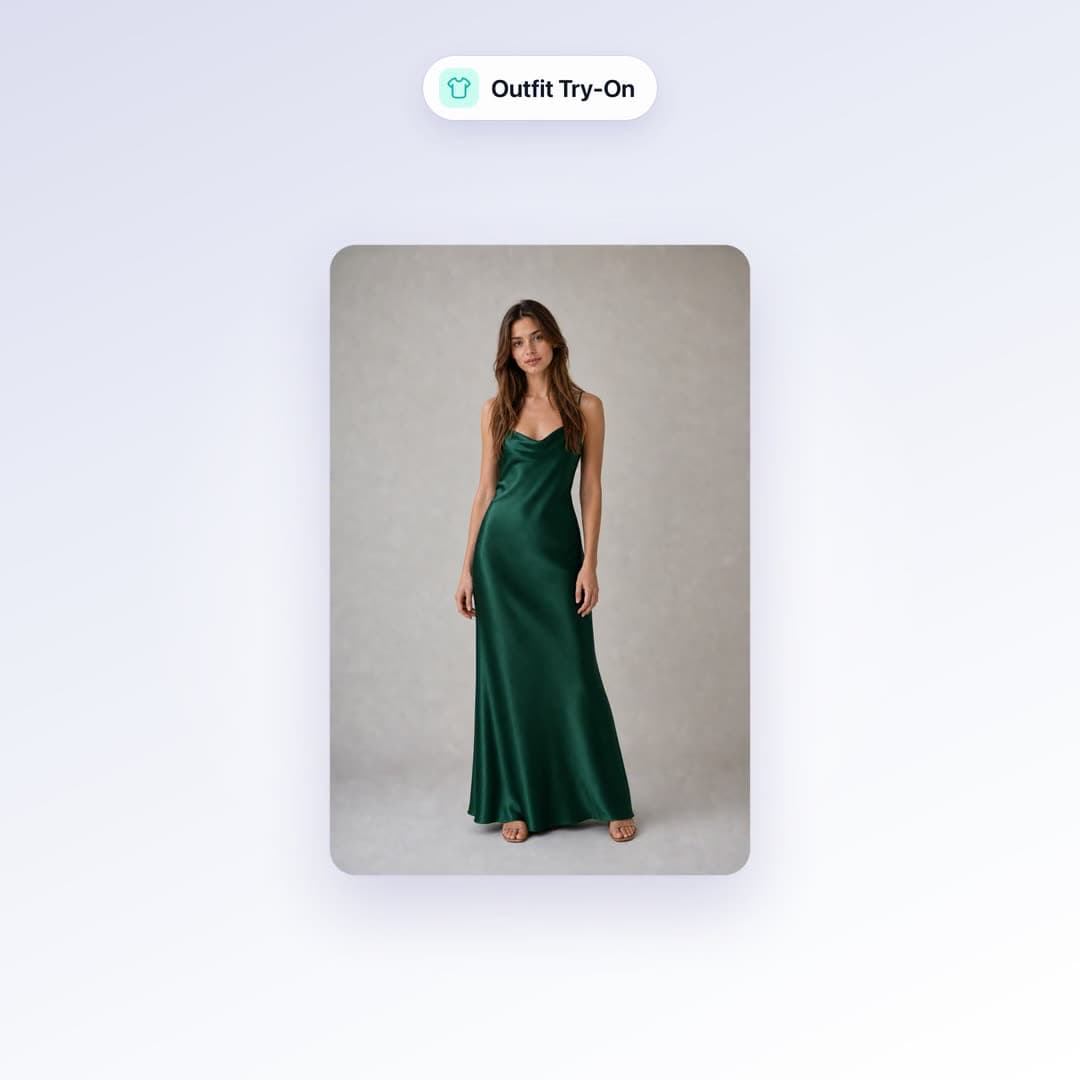
outfit_try_on

Put any outfit on any person.

10 credits

Takes the clothes from one photo and puts them on the person in another. A product shot or flat lay works best.

ParameterTypeRequiredDefaultDetails
person_image_urlstring (https URL)Yes—The person, face and body visible.
clothing_image_urlstring (https URL)Yes—The clothes. If someone is wearing them, only the clothes are used.
promptstringNo—Extra direction, e.g. "full body, walking down a street".

Returns: { "images": [{ "id": "…", "url": "…" }] }. Keep the id to delete it later.

Example call

{
  "jsonrpc": "2.0",
  "id": 1,
  "method": "tools/call",
  "params": {
    "name": "outfit_try_on",
    "arguments": {
      "person_image_url": "https://example.com/me.jpg",
      "clothing_image_url": "https://example.com/jacket.jpg"
    }
  }
}

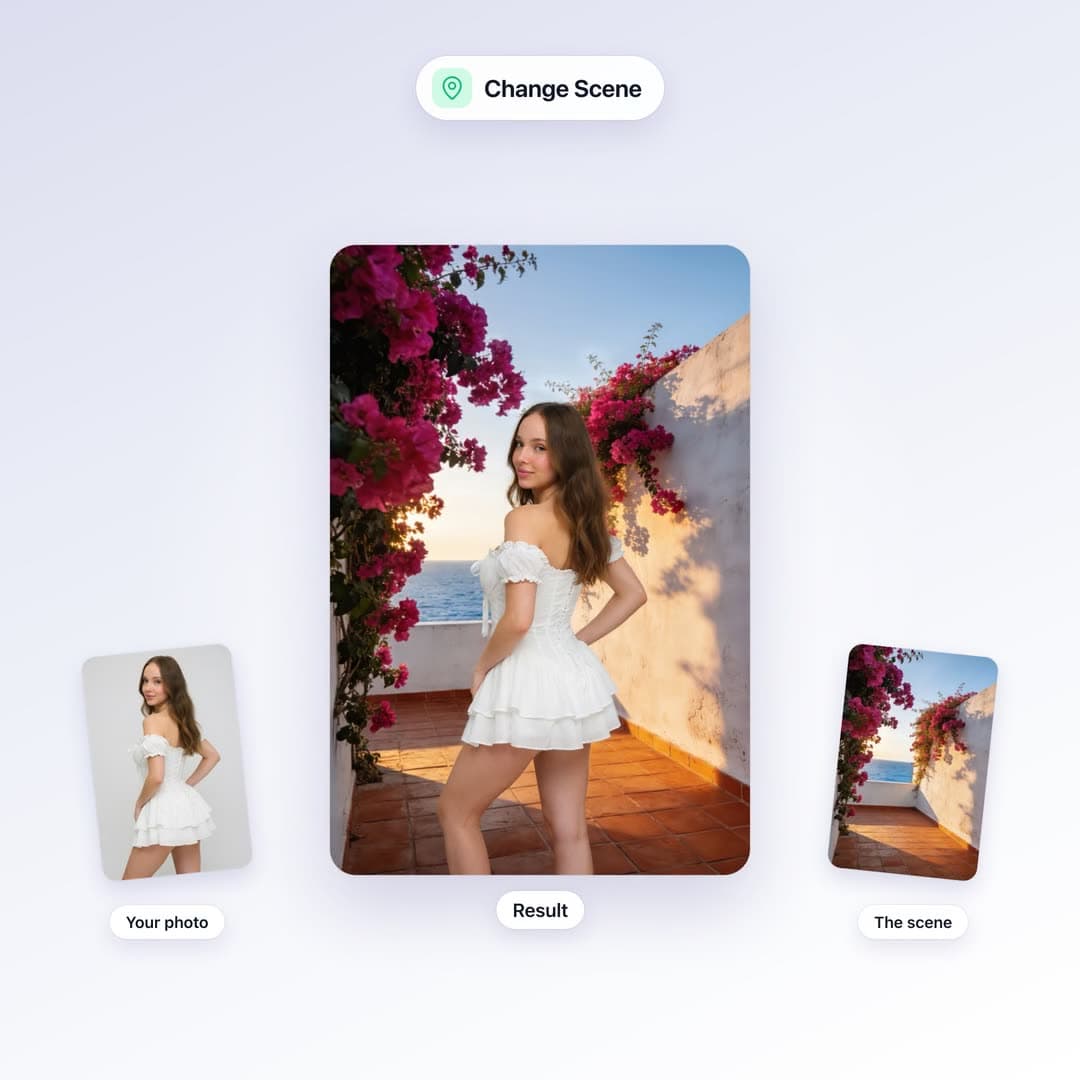
change_scene

Move a person to a new location.

5–14 credits

Keeps the person, pose, and outfit, and swaps the background for the scene in a second photo.

Price: The quality tier: standard 5 · ultra 10 · max_effort 14.

ParameterTypeRequiredDefaultDetails
image_urlstring (https URL)Yes—The person photo.
scene_image_urlstring (https URL)Yes—A photo of the new location.
quality"standard" | "ultra" | "max_effort"No"max_effort" standard 5 · ultra 10 · max_effort 14 credits.

Returns: { "images": [{ "id": "…", "url": "…" }] }. Keep the id to delete it later.

Example call

{
  "jsonrpc": "2.0",
  "id": 1,
  "method": "tools/call",
  "params": {
    "name": "change_scene",
    "arguments": {
      "image_url": "https://example.com/me.jpg",
      "scene_image_url": "https://example.com/beach.jpg"
    }
  }
}

headshots

Professional headshots from a selfie.

5–20 credits

Pick a style, expression, outfit, background, and lighting, and get up to four variations.

Price: 5 credits per variation.

ParameterTypeRequiredDefaultDetails
image_urlstring (https URL)Yes—A clear photo of the face.
style_preset"corporate" | "executive" | "linkedin" | "creative" | "academic" | "casual"No"corporate"Overall look.
expression"confident-smile" | "friendly" | "serious" | "warm" | "neutral"No"confident-smile"Facial expression.
clothing"auto" | "dark-suit" | "navy-blazer" | "white-shirt" | "smart-casual" | "turtleneck" | "lab-coat"No"auto""auto" keeps what they're wearing.
background"studio" | "office" | "plain-white" | "plain-gray" | "outdoor" | "dark"No"studio"Backdrop.
lighting"studio-soft" | "natural" | "rembrandt" | "ring-light" | "dramatic"No"studio-soft"Lighting setup.
variations"1" | "2" | "4"No"1"How many images. Sent as a string.
aspect_ratio"1:1" | "2:3" | "3:2" | "3:4" | "4:3" | "9:16" | "16:9"Nothe photo's shapeOutput shape.
promptstringNo—Extra direction.

Returns: { "images": [{ "id", "url" }, …] }, one per variation.

Example call

{
  "jsonrpc": "2.0",
  "id": 1,
  "method": "tools/call",
  "params": {
    "name": "headshots",
    "arguments": {
      "image_url": "https://example.com/me.jpg",
      "style_preset": "linkedin",
      "background": "office",
      "variations": "2"
    }
  }
}

product_photo

Studio product shots from a phone snap.

5–20 credits

The product stays exactly as it is; only the setup, surface, and lighting change.

Price: 5 credits per variation.

ParameterTypeRequiredDefaultDetails
product_image_urlstring (https URL)Yes—A photo of the product. A plain phone snap is fine.
shot_type"ecommerce" | "lifestyle" | "flat-lay" | "hero" | "macro" | "in-hand"No"ecommerce"Kind of shot.
surface"white-sweep" | "marble" | "wood" | "concrete" | "fabric" | "colour-block" | "outdoor"No"white-sweep"Surface and backdrop.
lighting"softbox" | "bright-airy" | "window" | "dramatic" | "golden-hour" | "neon"No"softbox"Lighting setup.
variations"1" | "2" | "4"No"1"How many images. Sent as a string.
aspect_ratio"1:1" | "2:3" | "3:2" | "3:4" | "4:3" | "9:16" | "16:9"No"1:1"Output shape.
promptstringNo—Extra direction, e.g. "a few eucalyptus leaves".

Returns: { "images": [{ "id", "url" }, …] }, one per variation.

Example call

{
  "jsonrpc": "2.0",
  "id": 1,
  "method": "tools/call",
  "params": {
    "name": "product_photo",
    "arguments": {
      "product_image_url": "https://example.com/mug.jpg",
      "shot_type": "lifestyle",
      "surface": "wood",
      "lighting": "window"
    }
  }
}

upscale

Sharpen and enlarge a photo.

5 credits

Best for faces, portraits, and products.

ParameterTypeRequiredDefaultDetails
image_urlstring (https URL)Yes—The image to upscale.
scale_factor"2" | "4" | "6"No2How many times larger.
creativityinteger 0–10No00 keeps the original exactly. Higher adds more invented detail.
output_format"png" | "jpg"No"png"File type.

Returns: { "images": [{ "id": "…", "url": "…" }] }. Keep the id to delete it later.

Example call

{
  "jsonrpc": "2.0",
  "id": 1,
  "method": "tools/call",
  "params": {
    "name": "upscale",
    "arguments": {
      "image_url": "https://example.com/me.jpg",
      "scale_factor": 4
    }
  }
}

remove_background

Cut the subject out as a transparent PNG.

5 credits

Tuned for people. Products and pets work too, with softer edges.

ParameterTypeRequiredDefaultDetails
image_urlstring (https URL)Yes—The photo to cut out.

Returns: One PNG URL with a transparent background. Cut-outs are not saved to your library.

If the cut-out fails, the credits are refunded in full.

Example call

{
  "jsonrpc": "2.0",
  "id": 1,
  "method": "tools/call",
  "params": {
    "name": "remove_background",
    "arguments": {
      "image_url": "https://example.com/me.jpg"
    }
  }
}

stitch_videos

Join finished clips into one video.

1 credit

Puts clips from your library end to end, with optional trims, and saves the result to your library.

ParameterTypeRequiredDefaultDetails
clips{ id: string, startAt?: number, endAt?: number }[]Yes—1–50 clips in play order. Ids come from generate_video. startAt / endAt trim each clip, in seconds.
ratio"original" | "9:16" | "1:1" | "16:9"No"original"Output frame. Clips that don't match are cropped to fill.

Returns: { "id": "…", "url": "…mp4" }

Each clip must be finished and yours. Up to 30 seconds per clip and 5 minutes in total.

If stitching or saving fails, the credit is refunded.

Example call

{
  "jsonrpc": "2.0",
  "id": 1,
  "method": "tools/call",
  "params": {
    "name": "stitch_videos",
    "arguments": {
      "clips": [
        {
          "id": "cm2x9k1ab0001"
        },
        {
          "id": "cm2x9k1ab0002",
          "endAt": 3.5
        }
      ],
      "ratio": "9:16"
    }
  }
}

delete_media

Permanently delete images or videos.

Free

Removes items from your library and deletes the files, so their URLs stop working. Works on anything you made, on the site or over MCP.

ParameterTypeRequiredDefaultDetails
idsstring[]Yes—1–50 library ids, as returned by the other tools.

Returns: { "deleted": ["…"], "failed": [{ "id": "…", "error": "…" }] }

This can't be undone, and credits aren't refunded.

Ids that aren't in your library come back under failed; nothing else is touched.

Example call

{
  "jsonrpc": "2.0",
  "id": 1,
  "method": "tools/call",
  "params": {
    "name": "delete_media",
    "arguments": {
      "ids": [
        "cm2x9k1ab0001",
        "cm2x9k1ab0002"
      ]
    }
  }
}

check_credits

Your balance and the price list.

Free

Handy before a big batch. The prices come from the same table the server charges from.

No parameters.

Returns: Plain text: your balance, then prices for every tool.

Example call

{
  "jsonrpc": "2.0",
  "id": 1,
  "method": "tools/call",
  "params": {
    "name": "check_credits",
    "arguments": {}
  }
}

Limits at a glance

WhatLimit
Photos per image edit5
Photos per video10
Video length3–30 seconds, whole seconds
Video resolution480p, 720p, 1080p
Video soundOn or off (default off), same price
Image aspect ratios1:1, 2:3, 3:2, 3:4, 4:3, 9:16, 16:9
Video aspect ratios16:9, 9:16, 1:1, 4:3, 3:4
Copy Pose poses per call1–4
Headshot / product variations1, 2, or 4
Recast partners0–2
Upscale factor2×, 4×, 6×
Stitch1–50 clips, each up to 30s, 5 minutes total. Ratios: original, 9:16, 1:1, 16:9
Delete per call1–50 ids
SFW-only accountsVideo up to 12s and 720p. No Recast.

Pricing

MCP calls cost the same as the web app, from the same balance. No extra fees. Buy credits or subscribe. Purchased credits never expire. check_credits returns this list live.

OperationCredits
New image from text5
Edit / Scene / per pose — Good (standard)5
Edit / Scene / per pose — Better (ultra)10
Edit / Scene / per pose — Best (max_effort)14
Video — 480p7 / second
Video — 720p14 / second
Video — 1080p28 / second
Recast14
Outfit try-on10
Headshots5 each
Product photo5 each
Upscale5
Remove background5
Stitch videos1
get_result, check_credits, delete_mediaFree

Errors

Tool errors come back as a normal result with isError: true and a message starting with Error:, written so your agent can show it to a person as-is.

You seeWhyCharged?
HTTP 401 Invalid or missing API keyNo key, a typo, or a revoked keyNo
You need N credits but only have MBalance too low for this callNo
Please fill in all required fieldsA required parameter is missing or emptyNo
That photo isn't available any moreA photo URL returned 404 or 410No
That reference is a videoA photo parameter points at a videoNo
This feature is not availableThe tool is off for your account (e.g. Recast on SFW-only)No
get_result → "status": "failed"The render failed or was blocked by moderationSee refunds

Refunds and billing

  • Credits are taken when a call starts. Anything rejected before rendering is never charged.
  • If a render finishes but we fail to save it, you get the credits back. get_result shows "refunded": true.
  • If moderation blocks a render, a small fee is kept and the rest comes back.
  • A render that ran and failed on our provider's side isn't refunded in full, because it was billed to us.
  • Remove background and stitching refund in full if they fail.

Good to know

  • Everything you make over MCP lands in your library in the app, like anything made on the site.
  • Returned URLs stay up until you delete the item, and they're yours to use commercially. delete_media (or deleting in the app) removes the file for good, with no credit refund.
  • The server is stateless; every request stands alone.
  • Your agent shouldn't retry a video call that timed out on its side. The job may already be running and billed. Use get_result instead.

Ready to connect?

Create an API key and add the server to your MCP client. Your agent finds every tool by itself.

Questions? Contact us